What Is Random Text in Whatsender?
Random text allows you to create variations within the same message so that each send is slightly different.
When you use Whatsender, the system automatically selects a different option for each message sent.
This helps messages feel more natural and reduces the risk of being blocked by WhatsApp.
Why Use Random Text in Messages?
In informational or promotional campaigns, sending the same message to many contacts can trigger anti-spam filters.
Random text allows you to:
• Vary the wording without changing the message content
• Avoid repetitive messages
• Maintain an informative and professional tone
• Improve bulk message delivery
How to Use Random Text?
Inside the message text field, write your variations using the following format:
{Option1|Option2|Option3}
Each block is replaced with a different option every time the message is sent.
You can use multiple blocks within the same message.
Practical Examples for Pharmacies
New Product Announcement
Message written in Whatsender:
Hello, {we would like to inform you|we are letting you know|we want to share with you} that we now have available
{a new line|a new product|new presentations} of vitamins
for {immune support|daily care|general wellbeing}.

If you would like more information, {reply to this message|write to us|contact us}.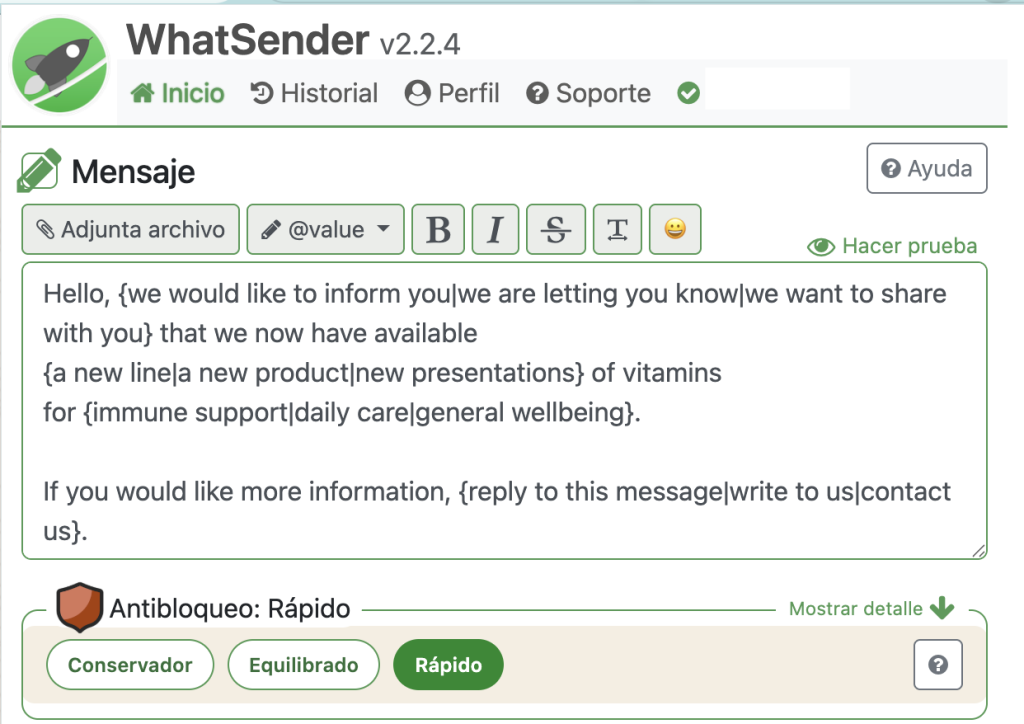
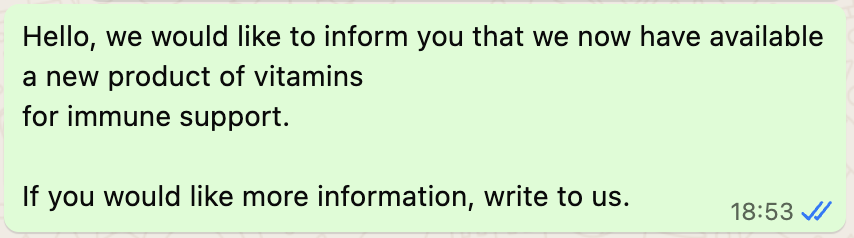
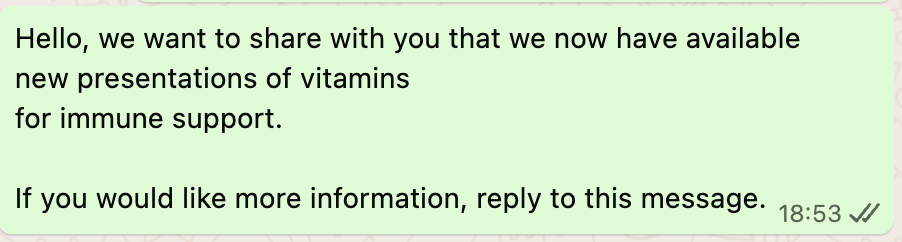
Messages that can be generated:
Hello, we would like to inform you that we now have available a new line of vitamins for immune support.
Hello, we are letting you know that we now have available new vitamin presentations for general wellbeing.
Hello, we want to share with you that we now have available a new vitamin product for daily care.
To further reduce the risk of being blocked:
• Use informative, non-aggressive messages
• Avoid overly commercial wording
• Combine random text with spaced-out sending intervals
• Do not include links in the first contact
• Maintain a friendly and professional tone